
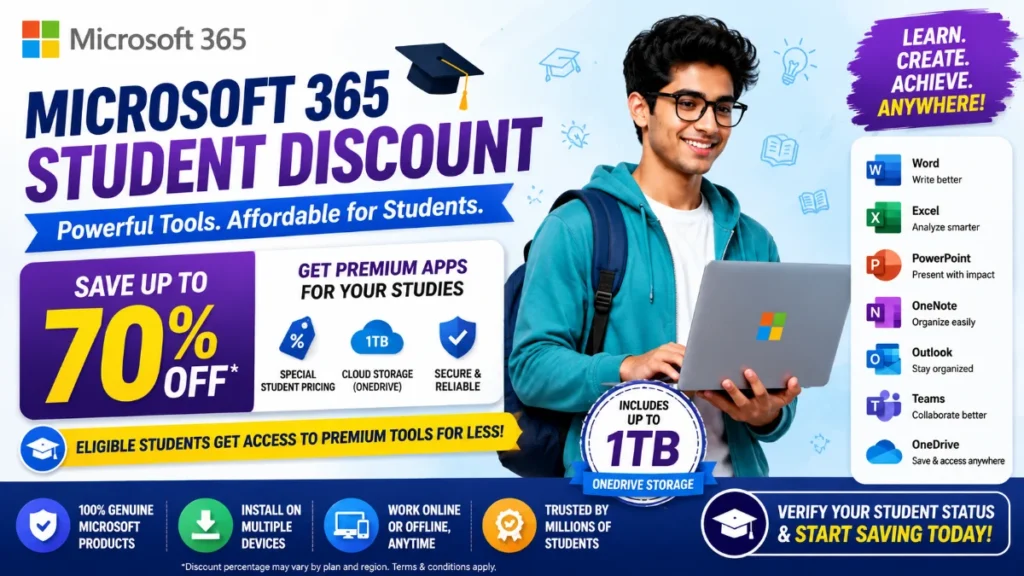
Microsoft 365 Student Discount is one of the most valuable education offers available in 2026. Students can access essential productivity tools like Word, Excel, PowerPoint, OneNote, Outlook, and Microsoft Teams either for free through their institution or at heavily discounted rates.
Whether you’re a school student, college student, university learner, or researcher, Microsoft 365 can help you complete assignments, collaborate with classmates, and stay productive without paying full price.
What Is Microsoft 365 Student Discount?
The Microsoft 365 Student Discount allows eligible students and educators to access Microsoft Office applications and cloud services at reduced prices or completely free through Microsoft’s Education program.
Depending on eligibility, students may receive:
- Microsoft Word
- Microsoft Excel
- Microsoft PowerPoint
- Microsoft OneNote
- Microsoft Outlook
- Microsoft Teams
- OneDrive Cloud Storage
- Microsoft Copilot features (selected plans)
Many educational institutions participate in Microsoft’s Education Program, allowing students to access premium tools at no additional cost.
Microsoft 365 Student Discount 2026 Overview
| Feature | Student Benefit |
|---|---|
| Microsoft 365 Education | Free for eligible students |
| Word, Excel & PowerPoint | Included |
| OneDrive Storage | Up to 1 TB |
| Microsoft Teams | Included |
| Online Office Apps | Free Access |
| Premium Features | Available on eligible plans |
| Student Savings | Up to 70% OFF |
Who Is Eligible for Microsoft 365 Student Discount?
You may qualify if you are:
- School student
- College student
- University student
- Graduate student
- Research scholar
- Faculty member or educator
Generally, you’ll need an active school or university email address to verify eligibility.
How to Get Microsoft 365 Student Discount
Step 1: Visit Microsoft Education
Go to Microsoft’s Education portal.
Step 2: Verify Your Student Status
Enter your school or university email address.
Step 3: Check Eligibility
Microsoft will determine whether your institution participates in the Education Program.
Step 4: Activate Your Account
Once verified, you’ll gain access to avail Microsoft 365 Student Discount.
Step 5: Download Apps
Install Word, Excel, PowerPoint, Outlook, Teams, and other included applications.
Benefits of Microsoft 365 for Students
Word for Assignments
Create professional reports, essays, research papers, and projects.
Excel for Data Analysis
Useful for:
- Statistics
- Accounting
- Engineering calculations
- Data management
- Financial projects
PowerPoint for Presentations
Create impressive classroom and university presentations.
OneDrive Cloud Storage
Store documents securely and access them from any device.
Microsoft Teams
Collaborate with classmates and participate in online learning.
Why Students Prefer Microsoft 365
Microsoft remains the most widely used productivity platform because:
- Industry-standard software
- Easy collaboration
- Cloud synchronization
- Cross-device compatibility
- Academic-friendly tools
- Extensive learning resources
Many universities specifically recommend Microsoft Office for coursework and submissions.
Microsoft 365 vs Google Workspace for Students
Microsoft 365 vs Google Workspace: Which Is Better?
| Feature | Microsoft 365 | Google Workspace |
|---|---|---|
| Word Processing | Word | Docs |
| Spreadsheet Tool | Excel | Sheets |
| Presentation Tool | PowerPoint | Slides |
| Cloud Storage | Up to 1 TB | Varies |
| Offline Access | Excellent | Limited |
| Academic Use | Excellent | Good |
| Industry Adoption | Very High | High |
Microsoft 365 is generally preferred for advanced academic and professional work, while Google Workspace excels in real-time collaboration.
Tips to Maximize Student Savings
Check Institutional Access
Many students already qualify for Microsoft 365 Student Discount without realizing it.
Use OneDrive Backup
Store assignments automatically to prevent data loss.
Explore Student Bundles
Microsoft occasionally offers bundled student deals that include additional software and services.
Watch Seasonal Promotions
Back-to-school campaigns often feature special student pricing.
Related Student Discounts You May Like
Students interested in Microsoft 365 may also benefit from:
- Adobe Student Discount
- Canva Pro Education Free Access
- Grammarly Student Discount
- GitHub Copilot Free for Students
- YouTube Premium Student Discount
- Cursor AI Student Discount
These tools can significantly improve productivity, learning, and project work.
Why Microsoft 365 Is Worth It for Students
The combination of Word, Excel, PowerPoint, Teams, Outlook, and OneDrive makes Microsoft 365 one of the most comprehensive student productivity solutions available today.
For students preparing for careers in business, engineering, finance, science, research, or technology, learning Microsoft Office tools provides skills that employers frequently expect.
Final Verdict
The Microsoft 365 Student Discount can help students save substantially while gaining access to industry-leading productivity software. Eligible students may even receive Microsoft 365 Education for free through their institution.
Before purchasing any paid plan, verify your student status first—you may already qualify for free access and premium educational benefits.
Frequently Asked Questions
Is Microsoft 365 free for students?
Many students can access Microsoft 365 Education free of charge through participating schools and universities.
How do I verify student eligibility?
Typically, you’ll need a valid educational email address provided by your school or university.
Does Microsoft 365 include Excel and PowerPoint?
Yes. Eligible plans include Word, Excel, PowerPoint, Outlook, OneNote, and Teams.
How much cloud storage do students get?
Many student plans include up to 1 TB of OneDrive cloud storage.
Is Microsoft 365 better than Google Docs for college students?
For advanced academic work, data analysis, presentations, and professional skills development, Microsoft 365 is often preferred.