Learning to code has never been easier thanks to Artificial Intelligence. From generating code snippets to explaining complex programming concepts, AI-powered coding assistants are transforming how students learn software development.
Among all AI coding tools available today, GitHub Copilot stands out as one of the most powerful options.
The best part?
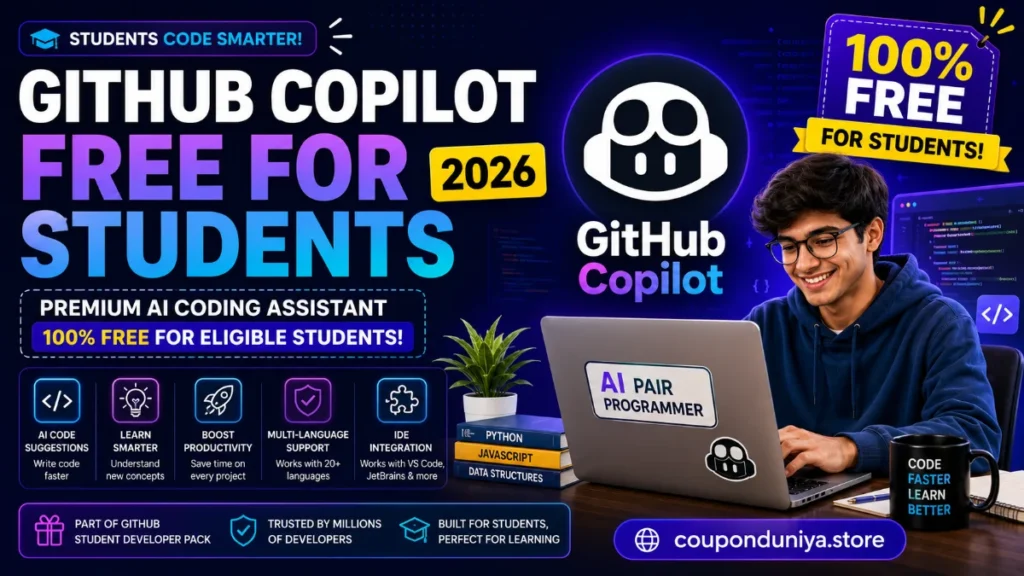
Many students can access GitHub Copilot completely free through GitHub’s student program.
If you’re searching for GitHub Copilot Free for Students, this guide explains everything you need to know, including eligibility requirements, benefits, setup instructions, and whether GitHub Copilot is worth using in 2026.
What Is GitHub Copilot Free?
GitHub Copilot is an AI-powered coding assistant developed by GitHub and OpenAI.
It helps developers write code faster by providing:
- Real-time code suggestions
- Auto-completion
- Function generation
- Bug fixes
- Code explanations
- Documentation assistance
- Learning support
GitHub Copilot works directly inside popular code editors like:
- Visual Studio Code
- JetBrains IDEs
- Neovim
- Visual Studio
Think of it as an AI pair programmer that helps you code more efficiently.
Is GitHub Copilot Free for Students?
Yes.
Eligible students can access GitHub Copilot for free through the GitHub Student Developer Pack.
This benefit allows students to use premium GitHub Copilot features without paying the standard subscription fee.
For students learning:
- Python
- JavaScript
- Java
- C++
- React
- Node.js
- Machine Learning
- Web Development
This can be a huge advantage.
What Is the GitHub Student Developer Pack?
The GitHub Student Developer Pack is a collection of free developer tools, software, cloud credits, and educational resources available to verified students.
Benefits often include access to:
- GitHub Copilot
- Developer tools
- Learning platforms
- Cloud hosting credits
- Domain offers
- Productivity software
The package is designed to help students build real-world projects without spending money.
Who Can Get GitHub Copilot Free?
Students may qualify if they:
✅ Are currently enrolled in a recognized educational institution
✅ Possess a valid school-issued email address or student verification
✅ Have a GitHub account
✅ Successfully verify student status through GitHub
Verification requirements may vary by country and institution.
Benefits of GitHub Copilot for Students
1. Learn Programming Faster
Copilot can generate code examples instantly.
Instead of spending hours searching forums, students can receive coding suggestions directly inside their editor.
2. Understand New Languages
Learning a new programming language becomes easier when Copilot suggests syntax and code structures in real time.
3. Improve Productivity
Students working on assignments, projects, or hackathons can complete tasks more efficiently.
4. Get Help with Documentation
Copilot can generate comments and documentation, making projects easier to understand and maintain.
5. Build Real Projects
Many students use Copilot to create:
- Portfolio websites
- Mobile apps
- Machine learning projects
- College assignments
- Open-source contributions
How to Get GitHub Copilot Free for Students
Step 1: Create a GitHub Account
Visit GitHub and create a free account if you don’t already have one.
Step 2: Apply for GitHub Student Developer Pack
Navigate to the Student Developer Pack page and start the verification process.
Step 3: Verify Student Status
You’ll need proof of enrollment, which may include:
- Student ID card
- School email address
- Enrollment documents
Step 4: Wait for Approval
Verification typically takes a few days, although processing times may vary.
Step 5: Activate GitHub Copilot
Once approved, eligible students can activate GitHub Copilot benefits through their GitHub account.
What Can GitHub Copilot Do?
Here are some of the most useful features for students.
| Feature | Benefit |
|---|---|
| Code Completion | Write code faster |
| Function Generation | Create functions automatically |
| Error Assistance | Reduce common coding mistakes |
| Code Explanation | Understand unfamiliar code |
| Documentation Help | Generate comments quickly |
| Learning Support | Explore new programming concepts |
Is GitHub Copilot Worth It for Students?
For most computer science and engineering students, the answer is yes.
Pros
| Advantages |
| Free through Student Developer Pack |
| Saves coding time |
| Helps learn new technologies |
| Supports multiple languages |
| Works with popular IDEs |
| Excellent for projects and assignments |
Cons
| Drawbacks |
| Can occasionally generate incorrect code |
| Students should still learn fundamentals |
| Requires internet connectivity for most features |
| Verification process may take time |
The key is to use Copilot as a learning assistant rather than blindly accepting every suggestion.
Best Alternatives to GitHub Copilot
If you’re not eligible for the Student Developer Pack, consider these alternatives.
1. Cursor AI
A popular AI-powered coding editor with advanced code generation capabilities.
2. Amazon CodeWhisperer
An AI coding assistant designed for developers working with AWS services.
3. Tabnine
Offers AI-powered code completion across multiple languages.
4. Codeium
Provides free AI coding assistance and supports numerous programming environments.
5. Replit Ghostwriter
An AI coding assistant integrated directly into the Replit platform.
Frequently Asked Questions
Is GitHub Copilot completely free for students?
Eligible students can access GitHub Copilot at no cost through the GitHub Student Developer Pack.
How do I verify my student status?
Students typically verify using a school email address, student ID, or enrollment documentation.
Does GitHub Copilot work with Visual Studio Code?
Yes. GitHub Copilot integrates seamlessly with Visual Studio Code and several other popular IDEs.
Can beginners use GitHub Copilot?
Absolutely. Many beginners use Copilot to learn programming concepts and understand code examples more quickly.
Is GitHub Copilot better than ChatGPT for coding?
GitHub Copilot is specifically designed for coding workflows and integrates directly into code editors, while ChatGPT provides broader conversational assistance.
Final Verdict
GitHub Copilot is one of the most valuable student benefits available in 2026 for aspiring developers.
Through the GitHub Student Developer Pack, eligible students can access premium AI coding assistance without paying a subscription fee. Whether you’re learning Python, building websites, creating apps, or contributing to open-source projects, GitHub Copilot can significantly improve productivity and accelerate learning.
If you’re a student interested in software development, applying for GitHub Student Developer Pack is one of the smartest free resources you can take advantage of this year.